
Laptop shopping often feels like it requires a second degree in component names. Processor generations, core counts, integrated versus discrete graphics, panel types, and memory configurations appear in every comparison chart. For people who mainly need reliable email, web browsing, video calls, documents, and occasional streaming, that level of detail creates more confusion than clarity.
This guide is for those buyers. It replaces specification overload with a practical sequence: define the work the laptop must do, set a realistic budget, prioritize the few factors that affect daily experience, and ignore the rest. The result is a machine that fits the life you actually live instead of one chosen for numbers that rarely matter in ordinary use.
Buy for the life you have, not the brochure you were shown.
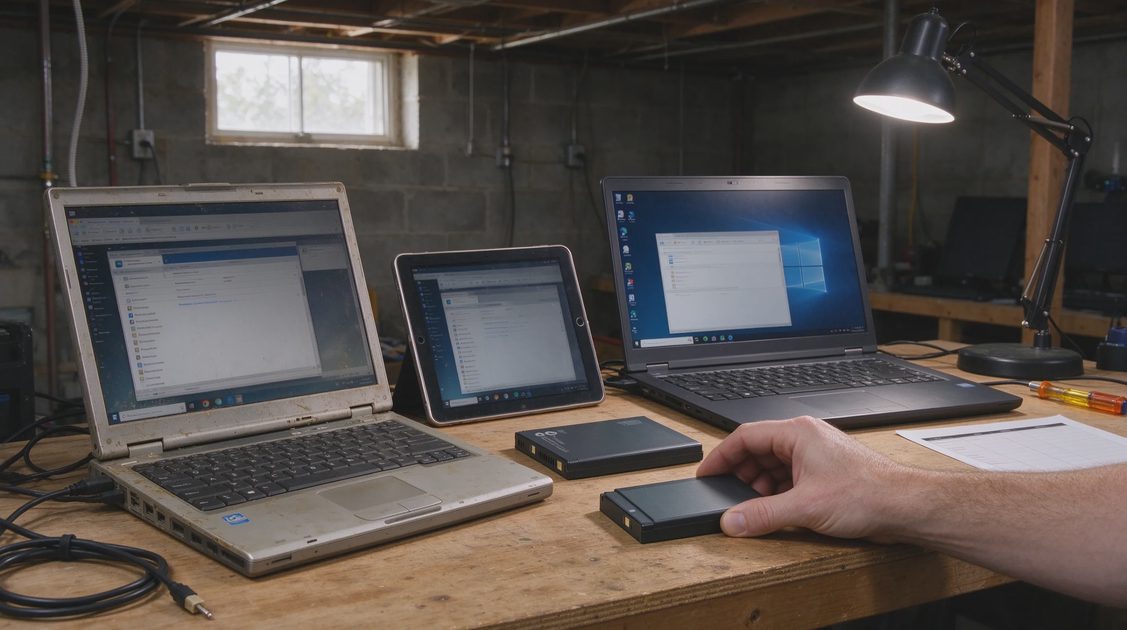
Why Specification Lists Mislead Ordinary Buyers
Manufacturers and review sites emphasize differences that are measurable in benchmarks. Those differences can be real and still be irrelevant for the tasks most households perform. A newer processor may finish a spreadsheet recalculation a fraction of a second faster. If you do not run large recalculations, the advantage never appears. Extra graphics capability matters for creative work or gaming; it adds cost and power draw for everyone else.
The useful question is not “Which laptop wins the chart?” It is “Which laptop will feel responsive, last through my day, and still be supportable in three or four years for the work I actually do?”
The Real Cost of a Laptop Decision
Purchase price is only the start. Setup time, data transfer, learning any new keyboard or trackpad behavior, and the eventual cost of replacement all belong in the calculation. A cheaper laptop that becomes frustrating after eighteen months can cost more in time and replacement than a slightly more expensive one kept for four years.
Step One: Describe the Actual Work
Write down the tasks the laptop must handle in a normal week. Be specific and honest.
Core Everyday Tasks
Email, web browsing, document editing, spreadsheets of ordinary size, video calls, streaming video, and online account management. These are the baseline for most household and light office use. They do not require high-end hardware.
Occasional Heavier Tasks
Larger photo libraries, light video editing, multiple browser tabs with many extensions, or running a few demanding web applications. These raise the requirement for memory and storage responsiveness but still do not demand flagship gaming or creative-pro configurations.
Specialized or Professional Needs
Frequent large-file video editing, 3D work, software development with heavy local compilation, or data analysis on large sets. These justify looking at higher performance tiers and discrete graphics. If they do not describe your use, you can safely ignore those tiers.
Portability and Environment
Will the laptop stay on a desk, travel to an office, or move around the house and to school events? Weight, battery life, and keyboard comfort matter more when the machine travels. A desktop-replacement style laptop can be excellent at home and burdensome on the go.
Step Two: Set a Budget With Total Cost in Mind
Decide the maximum you will spend before looking at models. Include a case or sleeve if you need one, and any adapter or docking needs.
Value Ranges in Practical Terms
Lower-priced laptops can handle core everyday tasks if memory and storage are adequate and the build quality is acceptable. Mid-range machines usually improve screen quality, keyboard feel, battery consistency, and support longevity. High-end machines add performance headroom, brighter or higher-resolution displays, and premium materials that matter most to people who use those features.
Match the range to the work list from Step One rather than to a desire for the newest component names.
Refurbished and Previous-Generation Options
Certified refurbished laptops and recent previous-generation models often deliver the same daily experience as brand-new current models at lower cost. When the warranty is solid and the seller is reputable, these options can be the most rational choice for everyday use.
Step Three: Prioritize the Few Factors That Affect Daily Life
Once budget and workload are clear, focus on a short list.
Memory and Storage
Insufficient memory produces slowdowns when many browser tabs or applications are open. Adequate solid-state storage makes the machine feel responsive from the first boot. These two factors influence everyday experience more than most processor differences within the same generation. Aim for configurations that will not feel cramped within the first year.
Screen Quality for Your Environment
Brightness, clarity, and comfortable viewing angles matter if you work near windows or use the laptop for long stretches. Resolution should be high enough for sharp text at the size you prefer. Perfect color accuracy is essential for professional photo and video work; it is secondary for documents and web use.
Keyboard and Trackpad Comfort
If you type daily, the keyboard should feel reliable and appropriately spaced. The trackpad should respond predictably. These are personal and best evaluated in person when possible. A machine with strong specifications and an unpleasant keyboard will not feel like a good purchase after a week of use.
Battery Life That Matches Your Day
Look for realistic all-day reports under mixed use rather than best-case claims. If you work away from outlets, prioritize proven endurance. If the laptop stays near power, battery becomes less critical.
Build Quality and Repair Outlook
A chassis that flexes excessively or a screen that feels fragile will age poorly. Consider whether the manufacturer makes it reasonably possible to upgrade memory or storage, and what typical repair costs look like for common failures. Longevity is part of value.
Software Support and Updates
A laptop that receives timely operating-system and security updates for several years protects your accounts and data longer. Check the manufacturer’s stated support commitments and the track record for the model line.
Step Four: Narrow and Decide
With the filters above, the field shrinks quickly.
Ignore Benchmark Rankings for Ordinary Work
Benchmark charts are useful for comparing machines within a demanding workload. They are rarely the deciding factor for email, documents, and video calls. Use them only if your task list includes the workloads they measure.
Compare Within Your Budget and Use Case Only
Once you have two or three candidates that meet memory, storage, screen, keyboard, and battery needs, minor differences in processor naming matter less than price, warranty, and how the machine feels in daily handling.
Plan the Setup and Transfer
Budget time for data migration, account sign-ins, and basic configuration. A clean setup produces a better first-week experience than rushing the process.
Common Pitfalls to Avoid
Buying the lowest-priced configuration with too little memory. Choosing a high-resolution screen that forces interface scaling and shorter battery life without needing the extra pixels. Paying for discrete graphics that will remain unused. Ignoring keyboard and trackpad comfort. Assuming every new processor generation produces a noticeable difference in ordinary tasks.
Each of these leads to either wasted money or daily friction.
Who This Approach Serves Best
People who use a laptop as a tool for communication, information, and ordinary productivity. Households buying a shared or student machine. Anyone who has felt overwhelmed by specification tables and simply wants a reliable computer that will not need replacement in two years.
Who May Need More Detailed Comparison
Users whose work involves sustained heavy processing, specialized creative software, or competitive gaming. In those cases, targeted reviews that measure the relevant workloads become useful. For everyone else, the strategy above is usually sufficient.
Closing Recommendation
Define the work the laptop must do. Set a firm budget that includes realistic longevity. Prioritize memory, storage responsiveness, screen comfort, keyboard feel, and battery life that matches your schedule. Treat processor marketing and benchmark charts as secondary unless your tasks demand them. Consider quality refurbished and previous-generation options when the warranty is solid.
The useful laptop is the one that disappears into your work instead of demanding attention or frequent replacement. Choose for the days you actually have, and the specification noise loses most of its power.



Letters
No letters yet — be the first to write.