
Thrift stores, estate sales, and similar outlets regularly receive electronics that still have useful life—or that can regain it with modest repair. They also receive devices that look intact but are effectively finished. The difference is rarely obvious from across the aisle. A short set of evaluation habits separates promising finds from the ones that only add to household clutter.
I will not invent specific store-by-store experiences or claim particular scores on individual items. This guide distills practical selection principles that work in any city with a solid thrift and estate-sale ecosystem. The same logic applies whether you are browsing shelves on a Saturday morning or walking through a garage sale. The goal is repairable, useful equipment that fits the life you already live.
Buy for the life you have, not the brochure you were shown.

Why Thrift Electronics Require a Different Mindset
Retail prices include warranty, return rights, and the assumption of full function. Thrift prices reflect uncertainty. That uncertainty can be an advantage when you can evaluate function and repair potential on the spot. It becomes a disadvantage when purchases are based only on appearance or brand nostalgia.
Successful thrift electronics buying treats every item as a short diagnostic exercise rather than a treasure hunt.
What “Repairable” Means in Practice
A device is repairable when the likely failure is identifiable, parts or simple fixes are realistically available, the total cost stays well below a working equivalent, and safety is not compromised. Cosmetic condition is secondary. Completeness, evidence of basic function, and common failure modes matter more.
Before You Leave Home: Preparation That Improves Results
A little readiness raises the hit rate.
Bring Basic Testing Tools
A phone with a flashlight and a music or video app. A short USB or auxiliary cable if you frequently look at audio or small devices. A portable battery pack can help power items when outlets are scarce. For more serious outings, a simple multimeter and a known-good power cord expand what you can check.
Know Your Target Categories
Decide in advance what kinds of items are worth your attention—simple lamps, basic audio gear, older laptops with clear upgrade paths, kitchen electrics with mechanical controls, or tools with replaceable cords and switches. Wandering without priorities leads to impulse purchases that fail the later repair-cost test.
Set Firm Price Limits
Decide the maximum you will pay for an untested or partially tested item in each category. Low thrift prices still become expensive when repair costs and time are added. Clear limits prevent emotional overpaying.
On-Site Evaluation: A Consistent Sequence
Work through the same checks so nothing critical is skipped under time pressure.
Visual Inspection First
Look for cracked housings, scorched areas, frayed cords, heavy corrosion, missing critical parts, and signs of liquid damage. These are often deal-breakers or heavy discounts. Clean exterior dirt is less important than structural and electrical integrity.
Completeness Check
Confirm that essential parts are present—power cords, removable batteries if applicable, remote controls for devices that require them, lids, trays, or filters for kitchen gear. Missing critical pieces reduce usefulness and raise total cost.
Power and Basic Function When Possible
Ask whether you may plug the item in. Listen and watch for normal power-up behavior, unusual smells, excessive heat, or failure to respond. For audio gear, play a short sound source if feasible. For lamps and simple electrics, confirm the switch and socket function. A device that shows no signs of life may still be repairable, but the risk and required skill rise.
Identify Likely Failure Modes
Apply category knowledge. Foam speaker surrounds dry out. Capacitors age in power supplies. Heating elements fail in kitchen electrics. Laptop batteries degrade and hinges crack. Matching the observed symptoms to common failures helps you estimate whether repair is realistic.
Assess Parts and Repair Outlook
Popular brands and models generally have better parts availability. Very obscure or extremely old items may be parts-orphaned. Mechanical designs are often more repairable than sealed electronics with proprietary boards. Factor your own skill level or local repair resources into the decision.
Category-Specific Quick Notes
Different items reward different checks.
Audio Gear
Test both channels if possible. Inspect speaker surrounds and grilles. Confirm that knobs and switches operate without excessive crackle. Prefer units with standard connectors over highly proprietary ones.
Laptops and Computers
Look for obvious hinge or screen damage. Note whether the machine powers on and reaches a BIOS or login screen. Battery swelling is a safety issue. Consider remaining software support and upgrade possibilities for memory or storage.
Kitchen Electrics
Check cords and plugs carefully. Confirm that heating devices do not show scorch marks or melting. Mechanical switches and simple thermostats are often more repairable than complex electronic controls. Safety overrides cost in this category.
Lamps and Simple Lighting
Test the switch and socket. Inspect the cord for damage. Shade condition is secondary if the electrical parts are sound. Replacing a socket or cord is usually straightforward.
Power Tools and Small Appliances
Examine cords, switches, and chucks or moving parts for wear. Listen for abnormal motor sounds if power testing is allowed. Missing safety guards or damaged insulation are reasons to pass.
Decision Rules That Prevent Regret
Buy when basic function is confirmed or the likely repair is simple, parts outlook is reasonable, the price reflects the condition, and the item matches a real household need. Pass when safety is questionable, critical parts are missing and hard to source, the failure mode is complex relative to the price, or you already have working equivalents.
Walking away is a successful outcome when it avoids a larger waste of time and money.
After the Purchase: First Steps at Home
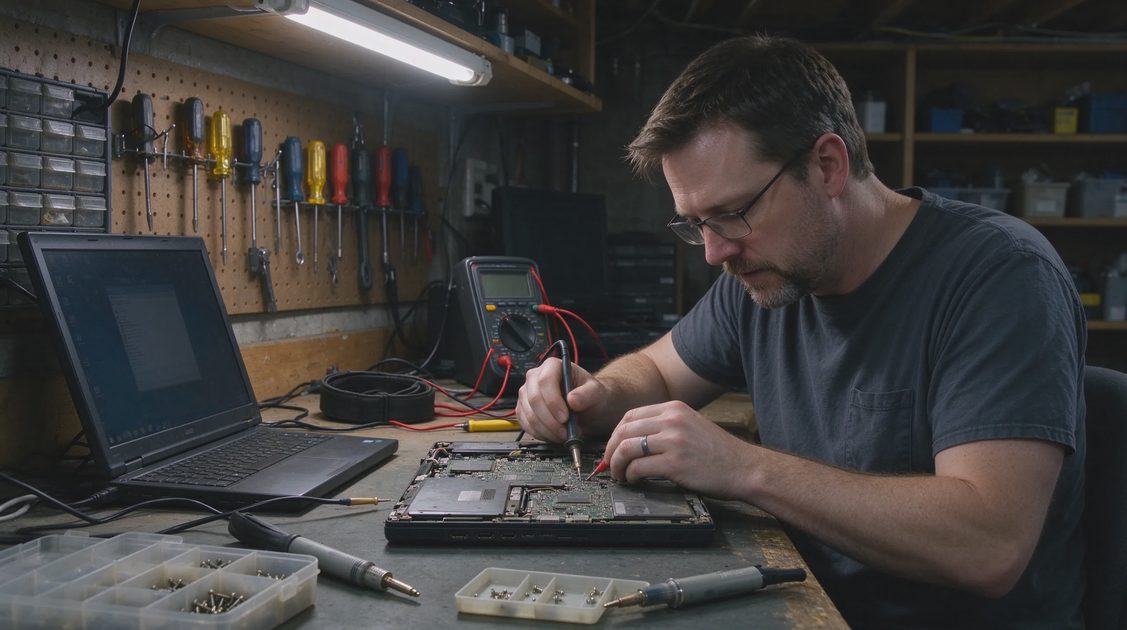
Test thoroughly in a controlled setting before integrating the item into daily use. Clean carefully, especially vents and electrical contacts. Address any cord or safety issues before regular operation. Document model numbers so you can research parts if needed. If the item fails early testing, decide quickly whether to repair, parts-harvest, or recycle responsibly.
Building Skill Over Time
The first few outings teach more than any checklist. Patterns in common failures become familiar. You learn which local stores refresh electronics regularly and which ones mostly receive non-functional stock. You also learn your own repair limits and when to involve a technician. Each successful evaluation improves the next one.
Who This Approach Serves Best
People willing to test and occasionally repair in exchange for lower cost and less waste. Households that value functional older equipment with standard parts. Anyone who prefers a short diagnostic habit over impulse buying based on appearance alone.
Who May Prefer Other Channels
Buyers who need warranty protection and guaranteed function. People with no interest in basic testing or repair. Those seeking the newest features or sealed modern devices that are difficult to service.
Closing Recommendation
Treat thrift and estate-sale electronics as a series of short functional questions: Is it complete? Does it show signs of life? What is the likely failure? Are parts and safety realistic? Does the price match the remaining usefulness? Answer those on the spot and the success rate rises sharply.
The useful second-hand electronic is the one that still performs its job or can be restored to do so at modest cost. Appearance, brand nostalgia, and low price are secondary data. When evaluation habits stay consistent, thrift shelves become a practical source of equipment that serves the household rather than a source of future clutter. That is the standard that turns casual browsing into reliable results.

No notes yet — write the first.